
Introduction
Our smartphones, laptops, tablets and computers contain some of our most important information — from personal photos and messages to passwords, financial information and work documents. Unfortunately, cyber threats such as viruses, malware, ransomware and phishing scams can put this information at risk.
The good news is that you don’t need to be a cybersecurity expert to improve your device security. By following a few simple habits, you can significantly reduce the risk of your device becoming infected.
At Covent Garden Tech, we help customers with smartphones, tablets, laptops and computers, so we know how frustrating it can be when a device suddenly starts behaving strangely. Here’s how you can protect your device from malware and viruses.

What Is Malware?
Malware is short for “malicious software”. It is a general term for software designed to harm a device, steal information, disrupt your system or give someone unauthorised access.
Viruses are one type of malware. Other examples include ransomware, spyware and trojans.
Malware can potentially steal or encrypt your data, make your device unusable or allow criminals to gain access to your accounts. The UK National Cyber Security Centre recommends keeping devices and software up to date, using appropriate security features and taking care when dealing with suspicious messages and downloads.
1. Keep Your Operating System Updated
One of the simplest and most important things you can do is keep your device’s operating system up to date.
Whether you use Windows, macOS, Android or iOS, manufacturers regularly release security updates that fix vulnerabilities. Delaying these updates can leave your device exposed to threats that have already been addressed by the manufacturer.
Whenever possible, enable automatic updates. This reduces the chance of forgetting to install an important security patch.
2. Keep Your Apps and Software Updated
Updating Windows or your phone isn’t enough. The applications installed on your device should also be kept up to date.
Web browsers, messaging apps, productivity software and other applications can contain vulnerabilities that criminals may attempt to exploit.
Only download updates from the official app store or the software manufacturer’s legitimate website. Avoid downloading programs from unfamiliar websites simply because they offer a “free” version.
3. Be Careful with Emails and Text Messages
Phishing is one of the most common ways criminals try to trick people into downloading malware or giving away sensitive information.
Be cautious if a message:
Creates a sense of urgency
Asks you to click an unexpected link
Contains an unfamiliar attachment
Requests passwords or financial information
Claims your account will be closed unless you act immediately
Comes from an unusual or unexpected sender
Before clicking a link, check where it actually leads. If you’re unsure, contact the company directly using a website or phone number you already know is genuine.
4. Only Download Apps from Trusted Sources
Downloading software from unofficial websites can increase your risk of installing malware.
For smartphones and tablets, stick to official stores such as the Apple App Store and Google Play. The NCSC notes that modern smartphones generally don’t require separate antivirus software when users only install apps from official stores and keep their devices updated.
For computers, download software directly from reputable developers and avoid suspicious “cracked”, pirated or modified versions of applications.
5. Use Antivirus and Built-In Security Features
For PCs and laptops, make sure antivirus protection is enabled and receiving updates.
Modern operating systems often include security tools that provide protection against viruses and other malware. You should also check that your firewall and other built-in security features haven’t been disabled.
Antivirus software can detect, quarantine and remove malicious software, helping prevent it from causing damage to your computer.
6. Use Strong, Unique Passwords
Malware isn’t the only security risk. If a criminal gains access to one of your accounts, they may be able to access personal information or use the account to attack other services.
Use a different, strong password for important accounts. A password manager can make it easier to create and remember unique passwords.
Where available, turn on two-factor authentication (2FA). This provides an additional layer of protection if your password is compromised.
7. Don’t Ignore Suspicious Pop-Ups
If a website suddenly displays a message saying something like “Your computer is infected!” and tells you to call a phone number or download software, don’t panic.
Fake virus warnings are commonly used in scams. Close the browser window rather than following the instructions on the pop-up.
The NCSC also warns about telephone scams in which callers falsely claim that a person’s computer is infected and offer to “fix” it.
8. Back Up Your Important Data
Even with good security practices, no system is completely risk-free.
Regular backups can help protect your important files if your device is lost, damaged or infected with malware such as ransomware.
Keep backups of important photos, documents and other valuable information, and make sure you know how to restore them if necessary.
A backup can be especially valuable during a ransomware attack, when criminals may attempt to prevent you from accessing your files.
9. Be Careful with USB Drives and External Devices
USB drives and other removable storage devices can also present a security risk.
Don’t connect an unfamiliar USB drive to your computer unless you know where it came from and why you need to use it. If you regularly transfer files using external storage, make sure your computer’s security software is enabled and scan files where appropriate.
10. Know the Warning Signs of Malware
Recognising the signs of an infection can help you act quickly.
Possible warning signs include:
Your device suddenly becomes unusually slow
Apps or programs repeatedly crash
Unexpected pop-ups appear
Unfamiliar applications appear on your device
Your browser redirects you to unexpected websites
Your device restarts without explanation
Your accounts send messages you didn’t write
Files become inaccessible or are unexpectedly encrypted
These symptoms don’t always mean that malware is present, but they are good reasons to investigate. The NCSC recommends running an antivirus scan on PCs and laptops if you suspect an infection.
What Should You Do If You Think Your Device Has a Virus?
If you believe your computer has been infected, don’t ignore the problem.
For a PC or laptop, make sure the device and software are updated and run a scan using your antivirus product. If the infection cannot be removed, the device may need to be wiped and the operating system reinstalled. The NCSC recommends restoring data from a known-good backup rather than attempting to rescue files while the device is still infected.
For smartphones and tablets, dealing with malware can be different from dealing with an infected PC. If you believe your phone or tablet has been compromised and normal troubleshooting doesn’t resolve the issue, professional assistance may be appropriate.
Protect Your Device Before There’s a Problem
The best approach to malware protection is prevention.
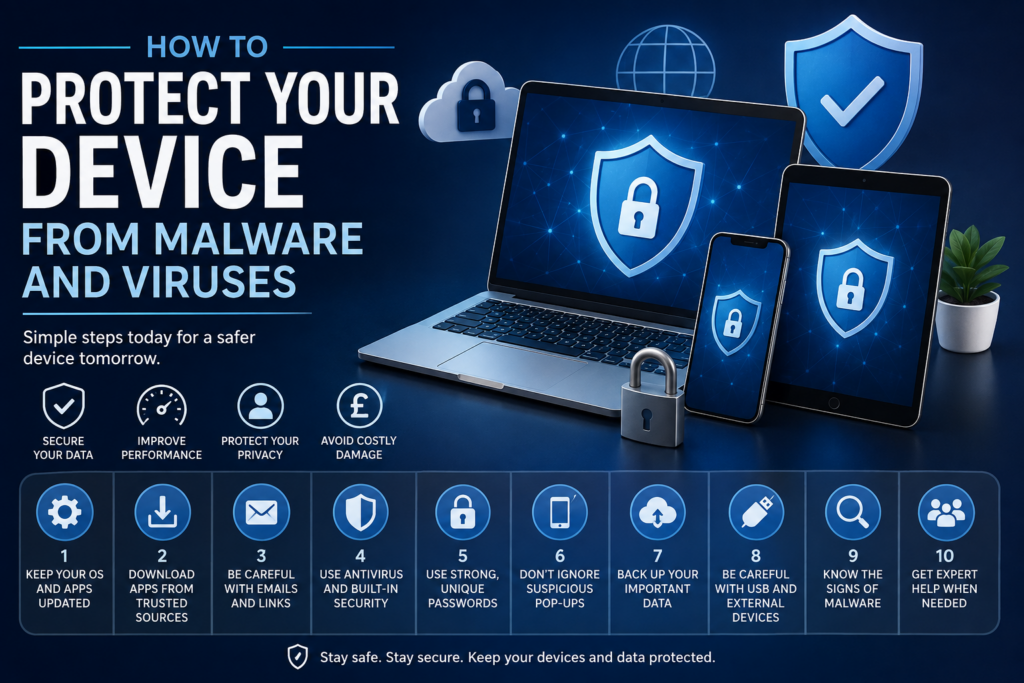
Keep your operating system and apps updated, use built-in security and antivirus protection where appropriate, download software from trusted sources, be cautious with suspicious messages and links, and regularly back up important data.
A few minutes spent improving your device security today could save you significant time, money and frustration later.
Need Help With a Problematic Device?
If your phone, tablet, laptop or computer is showing unusual behaviour, getting professional help can be a sensible next step.
Covent Garden Tech provides repair and maintenance services for smartphones, tablets, laptops and computers in London. The team offers on-the-spot repairs and system troubleshooting for a range of device problems.
Covent Garden Tech
15 New Row, Ground Floor, Covent Garden, London, WC2N 4LD
For device repair and technical support, visit Covent Garden Tech: https://www.coventgardentech.co.uk/
This article provides general cybersecurity information and is not a substitute for professional cybersecurity advice.