
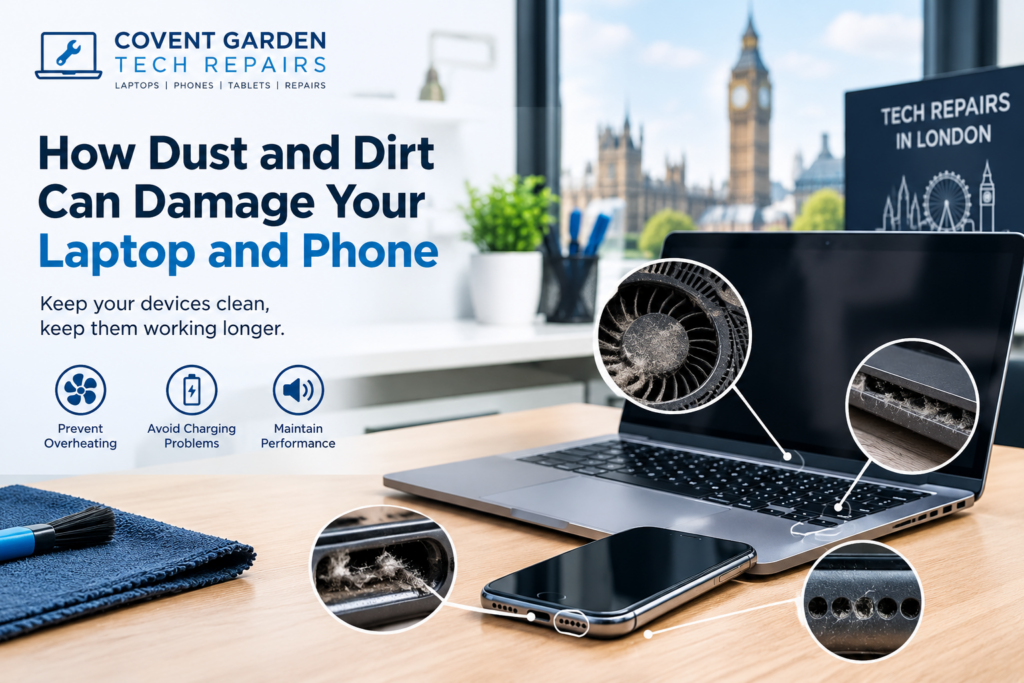
How Dust and Dirt Can Damage Your Laptop and Phone
Laptops and smartphones are part of everyday life. We use them at home, at work, while travelling, and almost everywhere in between. Because these devices are constantly exposed to their surroundings, dust, dirt, and small particles can gradually build up inside and around them.
Although a little dust may not seem like a serious problem, continued buildup can affect performance, cause overheating, interfere with components, and eventually lead to hardware problems. This is particularly important for laptops because they have cooling fans and ventilation openings that can collect dust over time.
Understanding how dirt affects your devices and taking simple preventative steps can help extend their useful life.

How Dust Gets Inside Your Devices
Dust can enter electronic devices through small openings such as ventilation grills, speaker openings, charging ports, buttons, and gaps around components.
Laptops are especially vulnerable because their cooling systems actively draw air through vents. Along with air, they can pull in dust, hair, fabric fibres, and other small particles.
Phones are generally more enclosed, but their charging ports, speakers, microphones, and other openings can still collect dirt and debris. Carrying your phone in a pocket or bag can expose it to lint, dust, and other particles throughout the day.
Can Dust Cause a Laptop to Overheat?
One of the most common problems associated with dust buildup is overheating.
Laptops generate heat when their processors, graphics chips, storage devices, and other components are working. Internal fans and ventilation systems help move this heat away from the components.
When dust accumulates around the cooling fan, heatsink, or ventilation openings, airflow can become restricted. The cooling system may then have to work harder to maintain a safe operating temperature.
You may notice symptoms such as:
A laptop fan becoming unusually loud
The device becoming very hot
Slower performance during demanding tasks
Unexpected shutdowns
The fan running constantly
Reduced battery performance
System instability
If a laptop regularly overheats, professional inspection may be worthwhile before the problem causes further hardware damage.
Dust Can Affect Laptop Performance
Dust does not always cause an immediate hardware failure. Sometimes the effects develop gradually.
When a laptop runs hotter than normal, its processor may reduce performance to control its temperature. This can make everyday tasks feel slower.
For example, you might notice that applications take longer to open, websites become less responsive, or the laptop struggles when running several programs at once.
If your laptop has suddenly become slow, overheating and dust buildup are only two possible causes. Software problems, insufficient storage, ageing hardware, and background processes can also contribute.
A proper diagnosis can help identify the actual cause.
How Dust Can Affect Your Phone
Smartphones do not usually have the same cooling systems as laptops, but dust and dirt can still cause problems.
One of the most common areas affected is the charging port. Lint and debris can accumulate inside the port and prevent the charging cable from making proper contact.
This can result in:
Slow or inconsistent charging
A charging cable that feels loose
The phone repeatedly connecting and disconnecting from power
Difficulty charging the battery
Accessories failing to connect correctly
Dust can also accumulate around speakers and microphones. This may affect sound quality or make your voice less clear during calls.
Dirt Around Speakers and Microphones
Your phone’s speakers and microphones have small openings that can collect particles over time.
If these openings become blocked, you may notice that your speaker sounds quieter than usual or that people have difficulty hearing you during calls.
Before assuming that a speaker or microphone needs replacing, it is worth having the device inspected. In some cases, cleaning may solve the problem. In others, the issue may be related to a damaged component.
Dust Can Contribute to Battery and Charging Problems
Dust itself does not normally damage a battery directly, but debris inside charging connections can interfere with the charging process.
If a charging port is obstructed, the connection between the cable and device may become unreliable. Repeatedly forcing a cable into a dirty or blocked port can potentially cause physical damage to the connector.
If your phone or laptop is having charging problems, avoid repeatedly inserting the cable with force. Professional inspection can help determine whether the issue is caused by debris, the charging cable, the port, the battery, or another component.
Why Cleaning Your Devices Regularly Matters
Regular cleaning can help reduce the amount of dust and dirt that accumulates on your devices.
For laptops, keeping ventilation areas clear can help maintain proper airflow. Cleaning the exterior, keyboard, screen, and accessible vents can also prevent dirt from building up.
For phones, keeping the charging port, speakers, screen, and exterior clean can help maintain everyday functionality.
However, internal cleaning should be approached carefully. Electronic components can be delicate, and using excessive force, liquids, or unsuitable tools can create additional problems.
Avoid Using Liquids Directly on Electronics
One common mistake is spraying cleaning liquid directly onto a laptop or phone.
Liquid can enter openings and potentially reach internal electronic components. Instead, follow the manufacturer’s cleaning recommendations and use appropriate materials for the device.
If you are unsure how to clean a particular component, professional assistance can be safer than attempting an internal repair yourself.
When Should You Consider Professional Repair?
Cleaning can solve some minor problems, but not every device issue is caused by dust.
Consider professional inspection if your laptop:
Overheats frequently
Shuts down unexpectedly
Has a constantly loud fan
Becomes extremely slow
Will not charge correctly
Makes unusual sounds
Similarly, a phone may need professional attention if it:
Will not charge
Has a damaged charging port
Has very low speaker volume
Has microphone problems
Overheats regularly
Has suffered liquid or physical damage
Professional technicians can inspect the device and determine whether cleaning, component replacement, software troubleshooting, or another repair is required.
Simple Ways to Reduce Dust Buildup
You can take several simple steps to keep your devices cleaner:
Keep Your Laptop on a Suitable Surface
Avoid using a laptop on beds, carpets, blankets, or other soft surfaces for long periods. These surfaces can restrict ventilation and may expose the device to more dust and fibres.
Clean Your Work Area
A cleaner desk or workspace can reduce the amount of dust surrounding your electronics.
Keep Your Phone Away From Dusty Environments
When possible, avoid leaving your phone in places where it can easily collect dust, sand, or debris.
Clean Accessories Too
Charging cables, laptop bags, cases, keyboards, and other accessories can collect dirt. Cleaning them regularly can help reduce the amount of debris transferred to your devices.
Don’t Ignore Early Warning Signs
If your device starts overheating, charging inconsistently, or behaving differently, don’t automatically assume the problem will disappear. Early inspection can sometimes prevent a minor issue from becoming a more expensive repair.
Final Thoughts
Dust and dirt may seem harmless, but over time they can affect the cooling, charging, audio, and overall performance of laptops and phones. Regular external cleaning and sensible device care can help reduce these risks.
If your device is already showing signs of overheating, charging problems, unusual noise, poor audio, or reduced performance, the cause may require more than simple cleaning.
For professional assistance with laptops, phones, and other electronic devices, you can contact Covent Garden Tech Repairs in London for device inspection and repair services.
A little regular maintenance can go a long way toward keeping your technology working reliably.