
Introduction
Our phones contain some of our most personal information, from family photographs and private videos to screenshots, messages, and memories that may not exist anywhere else.
When your phone needs professional repair, it’s natural to wonder: Will someone see my photos? Is my personal data safe? Should I delete everything before handing over my phone?
The good news is that you can take several simple steps to protect your personal photos and other private information before taking your phone for repair.

Why Should You Protect Your Photos Before a Phone Repair?
Depending on the type of repair, a technician may need to access the phone to test its screen, camera, charging system, software, or other components.
While reputable repair professionals respect customer privacy, it’s still sensible to minimise access to your personal information whenever possible.
Your phone may contain:
Family and holiday photographs
Private or sensitive images
Personal videos
Screenshots containing confidential information
Documents and work files
Saved passwords
Banking and financial information
Private messages and emails
Social media accounts
Taking a few precautions before handing over your device can give you greater peace of mind.
1. Back Up Your Photos Before the Repair
The most important step is to create a backup of your photos before taking your phone in for repair.
Depending on your device, you may be able to back up your photos using a cloud service or transfer them to a computer or external storage device.
A backup protects you if something unexpected happens during the repair.
For example, if the phone needs to be reset, suffers additional hardware damage, or cannot be switched back on, you still have access to your important photographs.
Don’t assume your photos are already backed up
Many people assume their phone automatically backs everything up. However, backup settings can vary, and your cloud storage may be full.
Before the repair, check that your most recent photos are actually available in your chosen backup service.
2. Check Your Cloud Photo Backup
If you use a cloud photo service, sign in from another device and check whether your recent photographs are there.
Look particularly for:
Recent photos
Videos
Screenshots
Favourite images
Photos taken shortly before the repair
If some images are missing, allow the phone to finish uploading them before handing it over.
This is especially important if you have recently taken a large number of photos or videos.
3. Transfer Important Photos to Another Device
For particularly important photographs, consider creating a second backup.
You could transfer important images to a computer, external storage device, or another secure location.
Having more than one copy is useful because no single backup method is completely risk-free.
A good rule is:
If a photograph is irreplaceable, don’t keep the only copy on your phone.
4. Remove Sensitive Photos If Possible
If your phone is working normally and you have already backed up your photographs, consider removing particularly sensitive images from the device before repair.
This could include:
Personal documents
Private photographs
Screenshots containing financial information
Images containing addresses or identification details
Work-related images
Confidential documents
Make sure you have securely backed up anything you want to keep before deleting it from the phone.
5. Use a Secure Lock Screen
Make sure your phone has a strong passcode, PIN, or other supported security method.
Avoid using an easily guessed code such as a birthday or simple sequence.
A secure lock screen provides an important layer of protection if your phone is lost, misplaced, or temporarily outside your possession.
However, remember that some repairs may require the technician to test the device. If a repair professional needs your passcode, ask why it is required and whether there is an alternative way to test the phone.
6. Ask the Repair Technician About Privacy
Don’t be afraid to ask questions before leaving your phone.
A reputable repair business should be able to explain how customer devices and personal information are handled.
You can ask:
Will you need to access my photos?
Do you need my passcode?
Can I stay logged out of my accounts?
Will the phone need to be reset?
What happens to my data if the repair requires a factory reset?
How will my personal information be protected?
Understanding the process before the repair can help avoid unpleasant surprises later.
7. Sign Out of Sensitive Accounts When Appropriate
If the repair doesn’t require access to particular accounts, consider signing out where practical.
Depending on the phone and repair, this may include email, social media, banking, shopping, or other sensitive applications.
However, don’t remove important security features or account protections without understanding the consequences.
Some devices also have anti-theft or activation-lock systems that may need to remain properly configured for the repair process.
8. Turn Off Lock-Screen Notifications
Even when your phone is locked, notifications can sometimes display message previews, email content, or other private information.
Before handing over the device, consider disabling sensitive notification previews on the lock screen.
This can prevent private information from appearing openly while the phone is being handled.
9. Don’t Give Your Password to Anyone Unnecessarily
Your phone password provides access to much more than your photographs.
If a technician genuinely needs to unlock your device for testing, ask whether you can enter the passcode yourself when required.
If you must provide access, consider changing your password again after the repair, particularly if you have concerns about who had access to the device.
10. Be Careful With Banking and Payment Apps
Your phone may contain access to banking applications, payment services, shopping accounts, and other sensitive financial information.
Before a repair, review the security settings of important financial apps.
If appropriate, temporarily sign out of particularly sensitive services and make sure you know your passwords or authentication methods before doing so.
Never share one-time authentication codes unless you fully understand why they are required.
11. Check Your Phone After the Repair
When you collect your phone, don’t simply put it in your pocket and leave.
Take a few minutes to check the device.
Make sure:
Your photos are still present
Your backup is intact
Your accounts are still secure
No unfamiliar applications have appeared
Your settings haven’t changed unexpectedly
Your phone is functioning correctly
If anything seems unusual, ask the repair provider about it immediately.
What If Your Phone Is Already Broken?
Sometimes a phone is too damaged to back up normally.
For example, the screen may be completely unresponsive, the phone may not turn on, or water damage may prevent normal operation.
In this situation, don’t repeatedly attempt risky repairs yourself, especially if important photographs are stored on the device.
A professional technician may be able to diagnose the phone and determine whether the data can be preserved or recovered.
The priority should be protecting the data before attempting anything that could make the damage worse.
Should You Factory Reset Your Phone Before Repair?
A factory reset removes personal information from the device, but it isn’t always necessary or appropriate.
Whether you should reset the phone depends on:
The type of repair
Whether the technician needs access to the operating system
Whether your data is properly backed up
Whether the repair provider recommends a reset
The device’s security and account requirements
If a reset is necessary, make sure you have a reliable backup before proceeding.
Never factory reset a phone simply because someone told you to without understanding why it is required.
What About Photos Stored on a Broken Phone?
If your phone has a broken screen, damaged charging port, water damage, or another hardware problem, your photographs may still be recoverable.
The important thing is to avoid making the situation worse.
Don’t repeatedly charge a water-damaged phone, attempt random software resets, or dismantle the device yourself if the photographs are extremely important.
A professional assessment can help determine the safest next step.
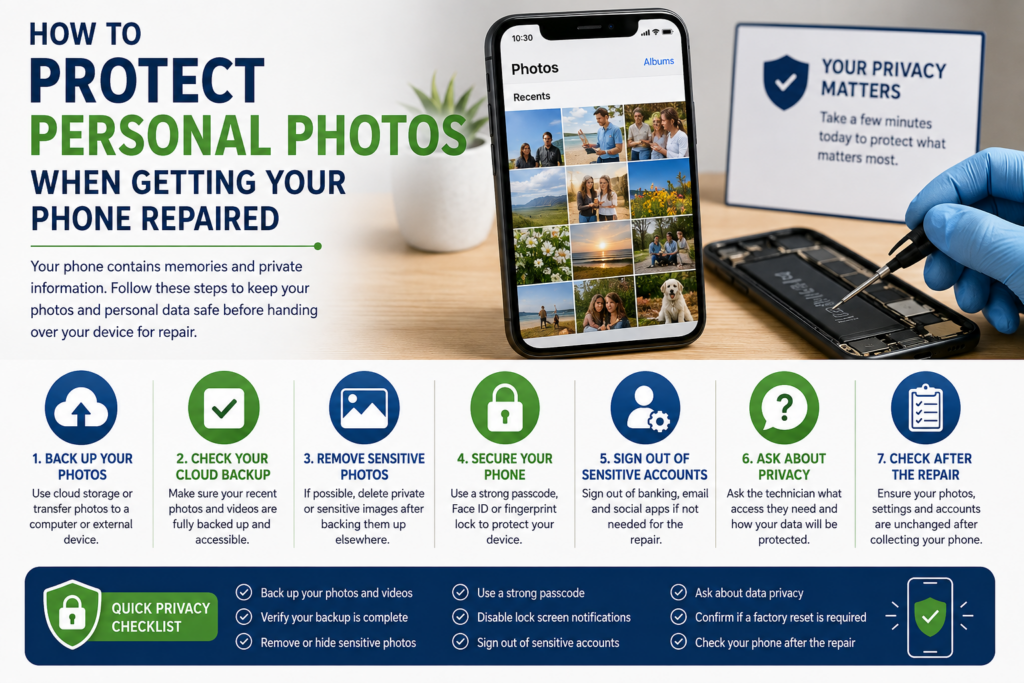
A Simple Pre-Repair Privacy Checklist
Before handing your phone over for repair, run through this checklist:
☐ Back up your photos
☐ Check that your latest photos are actually backed up
☐ Create a second backup of irreplaceable images
☐ Remove sensitive information if appropriate
☐ Secure your phone with a strong passcode
☐ Review lock-screen notifications
☐ Consider signing out of sensitive accounts
☐ Ask the technician about data privacy
☐ Ask whether a factory reset will be required
☐ Check your phone and accounts after the repair
Final Thoughts
Your phone repair doesn’t have to mean giving up control over your personal photographs.
The best protection is preparation. Back up your important images, secure your accounts, ask the repair provider how your data will be handled, and avoid giving unnecessary access to private information.
Most importantly, if your phone contains photographs that you cannot replace, make sure you have a backup before handing the device over for repair whenever possible.
A few minutes spent protecting your data before a repair can save you a great deal of stress later.